

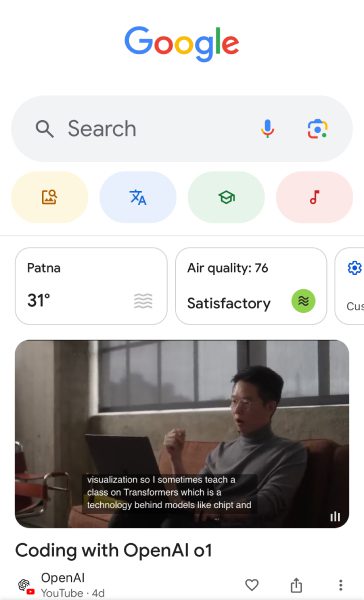
In the fast-paced world of digital marketing, every pixel counts-literally! Believe it or not, SEO image optimization is more than just a behind-the-scenes task; it can seriously elevate your search ranking, turbocharge your user experience, and supercharge your website’s performance. In 2024, as image searches grow in importance (Google Lens has 12 billion searches a month!), businesses-whether small or large-are realizing that optimized images aren’t just eye candy, they’re search engine magnets. Ready to see why image optimization is a game-changer for your SEO strategy this year? Let’s break it down!
The Importance of SEO Image Optimization
SEO Image Optimization isn’t just about reducing file sizes. It involves a comprehensive strategy that includes file names, alt text, captions, and more. Why should you focus on image optimization?
- Google Image Search Accounts for 22.6% of all Search Queries
Google processes billions of searches per day, and a large percentage of these searches happen in Google Images. By optimizing your images, you have the potential to reach a wider audience through image search results. - Faster Loading Times Improve Rankings
Google considers page speed one of the key ranking factors. A slow-loading website can hurt your rankings and user retention. According to a study by Marketing Dive, 53% of users leave a site if it takes more than three seconds to load. Optimized images reduce the load time, keeping users on your page longer.
- Better Accessibility for Visually Impaired Users
Using descriptive alt text not only improves SEO but also makes your content more accessible to users relying on screen readers.
How SEO Image Optimization Boosts Search Ranking
Let’s explore the key factors that contribute to SEO image optimization and how each boosts your search engine rankings.
1. Use Descriptive, Keyword-Rich File Names
When you upload an image, it’s tempting to leave the file name as “IMG_1234.jpg.” However, file names provide Google with critical clues about the image content. Use descriptive, keyword-rich names like “SEO-Image-Optimization-Infographic.jpg” to help search engines understand the image context.
2. Optimize Alt Text for Search Engines
Alt text is an important ranking signal for search engines. It describes the content of an image to both search engines and users who cannot view it. Adding relevant keywords like “SEO image optimization”and “boost search ranking” can give your website a competitive edge. For example, writing “An infographic showing how SEO image optimization improves website performance” provides more context and helps Google categorize the image properly.
Bad and good alt tag examples:

Bad alt text
“Baseball player hitting a ball at a baseball field.”
This is an example of a bad alt tag because it lacks description. While it shows a baseball field and a player, it doesn’t mention key details like Fenway Park or that the player is Red Sox’s #34, David Ortiz. These specifics are essential for Google to accurately index the image, especially if it’s part of a blog post on Boston sports.
Good alt text
A better alt text for the above image could be:
“David Ortiz of the Boston Red Sox batting from home plate at Fenway Park.”
- Currently, 53% of marketers using SEO have a strategy for optimizing images and videos, with 49% naming it their most effective tactic, as reported by Hubspot
3. Choose the Right File Format
Choosing the right image file format (JPEG, PNG, or WebP) is crucial. While JPEG files are generally smaller and work well for photographs, PNG files are better for images with transparency. WebP, on the other hand, offers excellent compression rates without losing quality, making it the best option for websites prioritizing speed.
- According to Google, Images optimized for WebP can reduce file sizes by 25%-34% compared to JPEG and PNG formats.
4. Compress Images Without Losing Quality
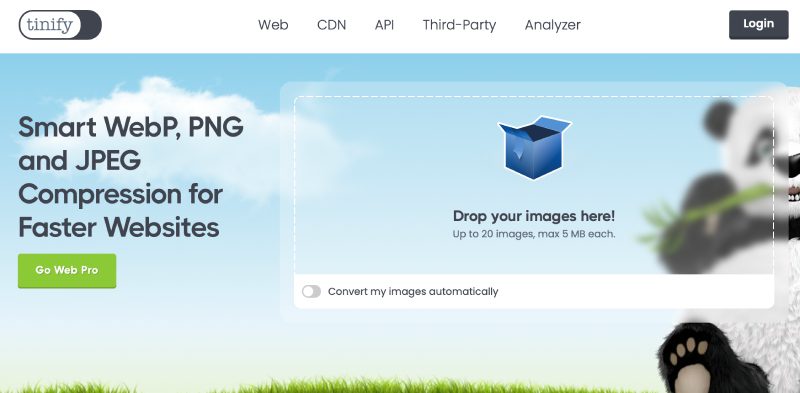
Large image files slow down website loading times, which negatively impacts your SEO rankings. Use tools like TinyPNG JPEGmini, or plugins like Smush to compress images without losing quality. Compressed images take up less space and load faster, which improves your user experience and search rankings.
5. Implement Lazy Loading for Faster Load Times
Lazy loading ensures that images only load as they appear in a user’s viewport. This strategy reduces initial page load time and bandwidth usage, especially on mobile devices. By implementing lazy loading, you make sure your website loads faster, improving both user experience and your ranking potential.
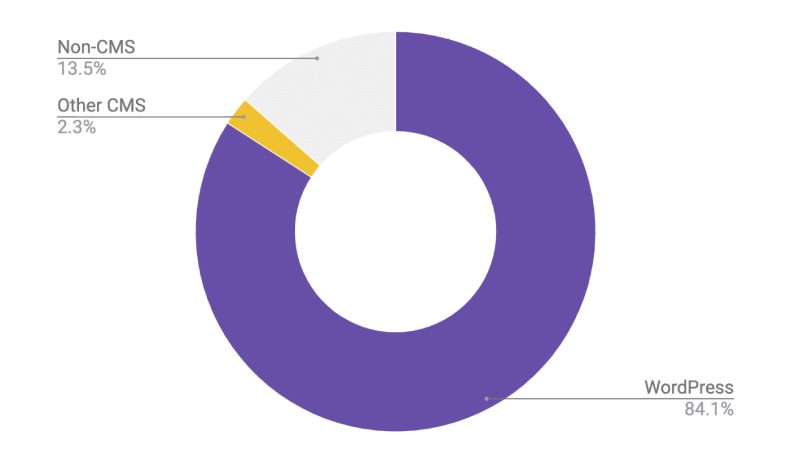
- A recent report by web.dev reveals that 29% of websites now use built-in image lazy loading, and its adoption is rapidly increasing. Of these, 84% use WordPress, 2% use other CMS platforms, and 14% don’t utilize any known CMS.
6. Optimize Image Captions
Although captions don’t directly affect SEO rankings as much as alt text does, they still matter. Captions are read more often than body text because they stand out. Including captions that provide context for the image can increase engagement and time spent on a page, indirectly boosting rankings.
The Impact of SEO Image Optimization on Search Rankings
Optimizing images for SEO offers several benefits:
- Higher SERP Visibility – With optimized images, you increase the likelihood of appearing in Google Images search results, potentially driving more traffic.
- Improved User Experience – Faster loading times, responsive images, and alt text all contribute to a better user experience. Google rewards websites that are user-friendly.
- Enhanced Mobile Performance – Google now uses mobile-first indexing, so a well-optimized image strategy can improve your mobile search rankings.
Latest Data on the Importance of SEO Image Optimization
- 40% of users will leave a website if the images don’t load quickly, as reported by Forbes.
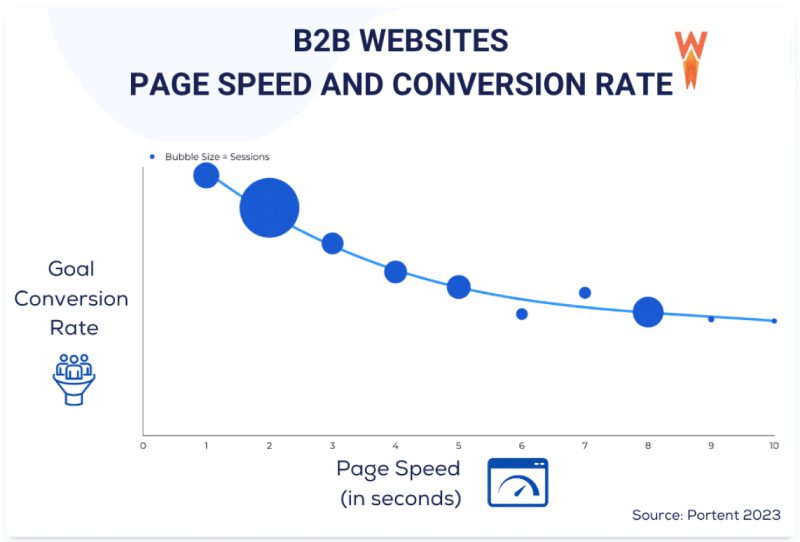
- A B2B site that loads in 1 second has a conversion rate 3 times higher than a site that loads in 5 seconds, while a B2C site that loads in 1 second has an e-commerce conversion rate 2.5x higher than a site that loads in 5 seconds, according to a report by WP Rocket.
- Optimized, high-quality product images and multiple viewing angles can boost e-commerce conversion rates by as much as 9% as per the data by Market.us Scoop.
Image optimization is no longer optional in today’s competitive digital landscape. From reducing load times to improving search visibility, the benefits of SEO image optimization are numerous. By implementing strategies like compressing images, using keyword-rich alt text, and leveraging lazy loading, you can boost search ranking and drive more traffic to your site.
How Wisitech Can Help with Your SEO Image Optimization
At Wisitech, we specialize in providing cutting-edge SEO services, including SEO image optimization. With the latest tools and advanced AI-powered algorithms, we ensure that your images and website are optimized for both search engines and users. Whether it’s compressing files, adding alt text, or improving image search visibility, we’ve got you covered. Our team can help you with SEO image optimization for your website and third-party platforms, ensuring maximum reach and performance. Get in touch with us today to supercharge your website’s SEO potential.