
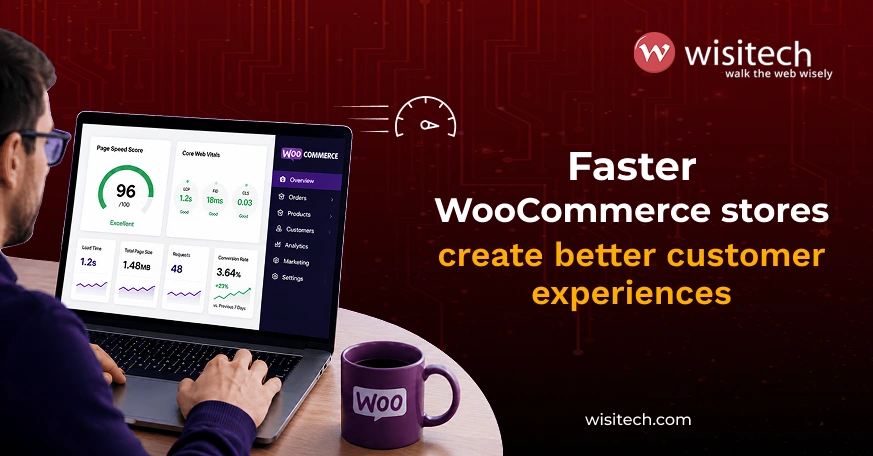
A slow WooCommerce website can negatively impact user experience, conversion rates, and search visibility. Visitors expect pages to load quickly, and even small delays can increase cart abandonment and reduce sales.
While many performance issues originate from hosting, plugins, themes, or server configuration, WooCommerce itself also requires regular maintenance and optimization. As WooCommerce stores become more feature-rich in 2026, performance management has become even more important for maintaining a competitive ecommerce experience.
The following strategies can help improve the speed and overall performance of your WooCommerce website.
1. Clear expired transients and customer sessions
WooCommerce stores temporary data in transients and customer sessions. Over time, these records can accumulate and increase database size unnecessarily.
Large wp_options tables often indicate expired transients that are no longer serving a purpose. Similarly, abandoned customer sessions created by bots or incomplete shopping journeys can consume valuable resources.
Regular cleanup helps improve database efficiency and supports ongoing WooCommerce maintenance efforts.
2. Remove unnecessary WooCommerce bloat
Many WooCommerce websites load scripts, styles, and features that are never actually used.
Cart fragments, unused widgets, marketing features, and admin modules can all contribute to slower page loads. Reducing unnecessary functionality helps decrease server requests and improve frontend performance.
Modern WooCommerce optimization strategies focus on keeping only the features that contribute directly to the user experience or business objectives.
3. Reduce plugin dependency wherever possible
Many performance issues stem from excessive plugin usage.
Every plugin introduces additional code, database queries, and potential conflicts. While plugins can add useful functionality, replacing non-essential plugins with custom development often results in a faster and more stable WooCommerce website.
Businesses investing in custom WooCommerce development services frequently see performance improvements because custom functionality is built specifically for their requirements instead of relying on generic plugin solutions.
A slow WooCommerce website can cost you sales.Wisitech’s custom WooCommerce development services help identify and resolve performance issues.
4. Unload unused assets
Many plugins load CSS and JavaScript files across every page, even when they are only needed in specific areas of the website.
For example, checkout-related scripts may not need to load on blog pages. Product gallery scripts may not be necessary on informational pages.
Tools that allow selective asset loading can reduce page weight and improve loading speed. Careful testing is important before disabling assets to avoid functionality issues.
5. Block bad bots and unnecessary crawlers
Not every website visitor is a customer.
Automated bots frequently consume server resources by repeatedly crawling websites without generating business value. Excessive bot traffic can increase CPU usage and slow down legitimate user requests.
Monitoring server logs and implementing bot management strategies can help preserve resources and improve website performance.
6. Clean your database regularly
Database optimization remains one of the most overlooked aspects of WooCommerce performance.
Over time, databases collect:
- Expired transients
- Revision history
- Orphaned metadata
- Unused plugin tables
- Abandoned session data
A thorough database cleanup improves query efficiency and reduces unnecessary overhead.
For stores with complex functionality such as WooCommerce product configurator tools, database optimization becomes even more important because larger datasets typically generate more database activity.
7. Monitor server response times and resource usage
Even a well-optimized WooCommerce website can struggle on inadequate hosting infrastructure.
Server response time, CPU usage, memory allocation, and database performance all influence website speed.
In 2026, Core Web Vitals and real-user performance metrics continue to impact both user experience and search visibility. Monitoring these metrics can help identify underlying performance issues before they affect customers.
Key areas to evaluate include:
- Hosting quality
- Server response times
- CPU utilization
- Database performance
- Caching effectiveness
Why WooCommerce speed matters more in 2026
Customer expectations continue to increase.
Users now expect ecommerce websites to load quickly across desktop and mobile devices. A delay of even a few seconds can lead to:
- Higher bounce rates
- Increased cart abandonment
- Lower conversion rates
- Reduced customer satisfaction
Website speed also influences how efficiently search engines crawl and evaluate your website.
For businesses relying heavily on online sales, WooCommerce speed optimization should be treated as an ongoing business priority rather than a one-time technical task.
Your WooCommerce website should support growth, not limit it.Wisitech helps businesses build scalable ecommerce experiences that drive more sales and support long-term success.
How Wisitech helps optimize WooCommerce websites
As an experienced WooCommerce development company, Wisitech helps businesses improve store performance, user experience, and scalability through tailored WooCommerce solutions.
Our team evaluates hosting environments, plugin architecture, database performance, user behavior, and conversion workflows to identify opportunities for improvement.
Whether you need performance enhancements, ongoing maintenance, or fully customized ecommerce functionality, we help create WooCommerce websites designed for long-term growth.
Contact our team to learn how we can help improve the speed, performance, and profitability of your WooCommerce website.