
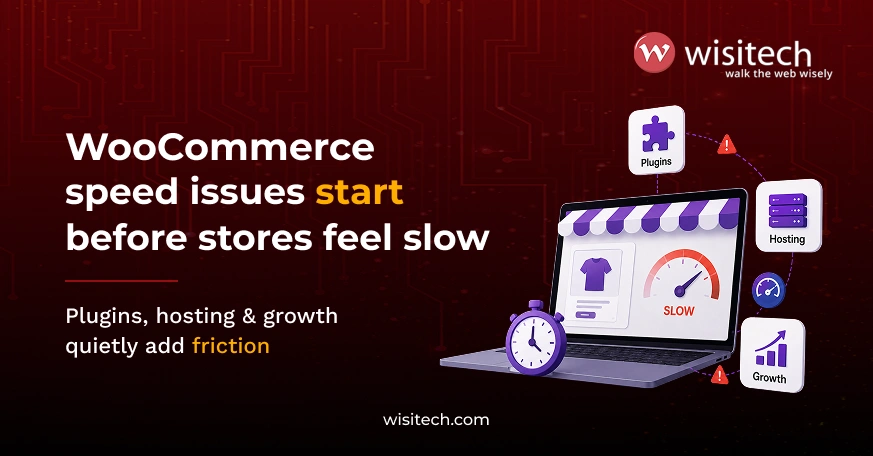
If your WooCommerce store feels slow, you are not alone, and in 2026, the cost of ignoring it has never been higher.
Most store owners do not wake up thinking, “My WooCommerce site is slow.” They feel it in other ways:
- Ads are getting clicks, but sales are not coming through.
- Visitors browse, then disappear without adding anything to the cart.
- Clients complain the site “feels heavy” but cannot explain why.
- Every new plugin or update feels risky.
- Agencies spend more time firefighting than growing accounts.
At some point, it becomes clear: the store is losing revenue, even if everything looks fine. The numbers back that up. According to 2026 performance data, a 1-second delay costs roughly 7% in conversions, 11% fewer page views, and a 16% drop in customer satisfaction. WooCommerce-powered stores that load in under 2 seconds see up to 40% higher conversion rates than slower competitors.
This article explains what causes WooCommerce slow loading and how to fix it safely and practically, whether you are looking for custom WooCommerce development services or trying to optimize an existing store.
Prefer watching instead?
See how we reduced a WooCommerce store’s mobile load time from 9 seconds to under 2 by fixing three key performance issues, without a redesign or platform migration.
Why slow WooCommerce stores lose money quietly
Speed problems rarely crash a store outright. They do something worse: they slowly leak revenue. When a page takes too long, users hesitate, trust drops, and buying momentum breaks. Shoppers do not complain. They leave.
A two-second delay in load time alone pushes cart abandonment rates to 87%. And 73% of consumers say they would simply switch to a competitor site if the one they are on is too slow. Slow retail sites collectively lose an estimated $2.6 billion in sales every year.
This is why a slow WooCommerce store is one of the most expensive problems store owners ignore, not because it is dramatic, but because it is subtle.
Why WooCommerce feels “fine” sometimes and slow at other times
One of the most frustrating things about WooCommerce speed optimization work is how inconsistently the problem shows up.
The store might:
- Load okay on your laptop.
- Feel slow on mobile.
- Lag during ad campaigns.
- Break rhythm during checkout.
That inconsistency creates doubt: “Is it really a speed issue, or something else?” In most cases, it is speed, just not in an obvious way. It often shows up more sharply on mobile, where around 70% of shoppers now browse and buy. U.S. retail sites take an average of 6.3 seconds to load on mobile, more than twice Google’s 3-second benchmark.
The real reasons WooCommerce becomes slow
Let’s break this down in plain language.
Your store is far from some of your customers
WooCommerce stores often serve customers across regions. If your hosting is far from part of your audience, pages take longer to reach them. This distance-based delay is one of the most common causes of a slow WooCommerce store, and it is often invisible to store owners when testing from their own location.
A CDN (Content Delivery Network) can reduce page load time by up to 50% for most WooCommerce stores by serving content from servers physically closer to your visitors.
Hosting that worked early does not scale well
Many businesses start with basic shared hosting. That is normal. But WooCommerce grows heavier over time: more products, more orders, more users, more plugins, more traffic. Hosting that once felt good enough is quietly struggling.
In 2026, WooCommerce-optimized hosting environments, particularly those running LiteSpeed web servers, offer a meaningful performance edge. LiteSpeed’s server-level page cache (LSCache) handles anonymous visitor traffic far more efficiently than standard Apache or Nginx stacks, reducing server response time and keeping pages snappy during traffic spikes.
Product images are slowing down the experience
WooCommerce is visual by nature. But large, unoptimized images slow down browsing, delay page visibility, and hurt mobile users the most. Image optimization alone can reduce load time on WooCommerce product pages by up to 60%.
This is one of the simplest fixes, yet one of the most ignored factors in any WooCommerce performance project. Modern formats like WebP and AVIF offer significantly smaller file sizes with no visible quality loss and are now supported across all major browsers.
Plugins pile up over time
Plugins are convenient. Too many become a problem. Most stores do not add plugins recklessly; they add them over time. A review tool here, a Mailchimp WooCommerce integration plugin added during a campaign, a quick fix that never got removed. Each plugin adds weight. Eventually, the store feels sluggish with no obvious cause.
Reducing plugin clutter is one of the most reliable paths to meaningful WooCommerce optimization, and it carries zero risk of breaking store functionality when done thoughtfully.
WooCommerce is not tuned for speed by default
WooCommerce prioritizes flexibility. Out of the box, it handles carts, sessions, pricing rules, and inventory updates. Without proper configuration, product and category pages appear to be constantly processing, even when they do not need to.
This becomes more pronounced as catalogs grow. Stores running a WooCommerce product configurator for custom or variable products are especially vulnerable here, since configurator pages fire multiple real-time database queries on every user interaction, such as selecting a size, color, or custom option.
What store owners usually feel (but rarely say)
From our experience at Wisitech, store owners often feel:
- “I am afraid to touch anything. What if it breaks?”
- “Every fix seems to create a new problem.”
- “The site looks good, but conversions are low.”
- “Developers talk in jargon, not solutions.”
These feelings matter because speed fixes should reduce stress, not add to it.
Simple, safe ways to fix a slow WooCommerce store in 2026
Here is what actually works, without overcomplicating things.
Use hosting built for WooCommerce
WooCommerce behaves differently from basic websites. Hosting optimized for it handles traffic spikes better, keeps checkouts smooth, and reduces random delays. In 2026, LiteSpeed-based hosting has become one of the most effective infrastructure upgrades for WooCommerce website development services providers and store owners alike.
LiteSpeed’s server-level cache serves pre-rendered HTML to anonymous visitors without triggering any PHP or database queries. The result is dramatically faster time-to-first-byte (TTFB), especially during promotions and peak traffic moments. This matters whether you are starting fresh with WooCommerce custom development or optimizing an existing store.
Add Redis object caching for dynamic pages
Standard page caching covers anonymous visitors well. But WooCommerce has a dynamic layer that standard caching cannot touch: cart data, logged-in user sessions, checkout processes, WooCommerce payment integration handling, and live pricing rules.
This is where Redis object caching comes in. Instead of rebuilding the same database query result every time a visitor loads a page, Redis stores the result in RAM and serves it instantly on repeat requests. For WooCommerce stores, this can reduce load time by 40-80% on database-heavy pages.
When combined with LiteSpeed Cache (which handles full-page caching for anonymous users), Redis covers the entire caching stack. LSCache handles the static layer. Redis handles everything dynamically. Together they resolve the full scope of a slow WooCommerce store without destabilizing operations.
This LiteSpeed and Redis combination is the 2026 best practice for high-traffic WooCommerce stores and is among the first things a serious WooCommerce development company will implement during a performance engagement.
Fix images before touching design
Optimized images load faster, make pages feel responsive, and improve mobile experience immediately. It is also one of the safest fixes you can make, with no risk of breaking store functionality regardless of your hosting, plugins, or theme.
Serving images in next-gen formats (WebP or AVIF), lazy loading below-the-fold product images, and setting appropriate browser cache TTLs are the three moves that deliver the most visible improvement here.
Clean plugins with purpose
Do not just remove plugins; evaluate intent. If a plugin does not clearly support sales, operations, or user experience, it is usually doing more harm than good.
WooCommerce maintenance is an ongoing task, not a one-time job. Regular plugin audits combined with database cleanup (removing expired transients, post revisions, and orphaned data) keep the store running cleanly as it scales. This is especially true after adding integrations, since tools like a Mailchimp WooCommerce integration or third-party analytics plugins often leave behind transient data that bloats the database over time.
Cache smartly, not aggressively
Not everything needs to be live. Product listings and category pages can load instantly when handled correctly. The checkout and cart pages must remain dynamic.
Aggressive full-page caching on checkout pages breaks WooCommerce’s cart functionality, which is a common mistake that turns a speed project into a support emergency. Getting the cache exclusion rules right matters as much as enabling caching in the first place.
Let important content load first
Shoppers care about products, prices, and images. They do not need analytics scripts or marketing pixels before they see the page.
Deferring non-essential JavaScript, lazy loading third-party embeds, and eliminating render-blocking resources make the store feel faster without removing any functionality. Core Web Vitals, specifically LCP (Largest Contentful Paint) and INP (Interaction to Next Paint), are Google’s 2026 ranking signals for exactly this behavior. Only 33% of websites currently pass all three Core Web Vitals. Stores that do tend to rank better, convert better, and retain visitors longer.
Fix multilingual performance too
Stores running WooCommerce multilingual setups with WooCommerce WPML often experience performance degradation that is incorrectly blamed on the theme or server. Multilingual plugins add translation lookup overhead on every page load. Pairing them with Redis object caching and a properly configured full-page cache dramatically reduces this overhead.
If your store serves audiences in multiple languages, this configuration step is easy to miss during setup but makes a significant difference in real-world page speed.
If this sounds familiar, your WooCommerce store does not need guesswork. Wisitech has helped 2,500+ businesses and agencies diagnose and fix real performance issues without disrupting sales. 27+ years. 2,500+ projects. Fortune 500 experience.
Why agencies struggle with WooCommerce speed
Agencies face a different kind of pain. A slow WooCommerce store means unhappy clients, constant revisions, speed blamed on design or ads, and support tickets that never end.
That is why many agencies quietly look for a white-label WooCommerce website development services partner who understands performance deeply. Wisitech often works behind the scenes to stabilize client stores and protect agency relationships, without the client ever knowing the fix came from outside.
WooCommerce vs. other platforms: Does it have to be this slow?
This comes up regularly, especially when teams debate Shopify vs WooCommerce during platform selection.
Shopify is a hosted platform. Performance is largely managed for you. WooCommerce is self-hosted and open-source, which gives you far greater control over WooCommerce custom development, integrations, and pricing logic, but it also means performance is your responsibility.
The honest answer: WooCommerce is not inherently slower than Shopify. Properly configured WooCommerce stores consistently match or outperform Shopify on TTFB and Core Web Vitals. The difference is that WooCommerce requires deliberate optimization. Left unconfigured, it will feel slower than a managed platform. The solution is configuration and infrastructure, not a platform switch.
What realistic improvements look like
After proper WooCommerce optimization, most stores experience:
- Faster page visibility and improved Core Web Vitals scores.
- Smoother browsing across product and category pages.
- Better mobile engagement, especially important given 70% of purchases now happen on smartphones.
- Fewer checkout drop-offs.
- Improved Google rankings on competitive keywords.
Speed stops being a complaint and starts becoming invisible, which is exactly how it should feel to a shopper.
A quick self-check for store owners
Ask yourself:
- Does the store feel slower during promotions or traffic spikes?
- Do users drop off before checkout?
- Are speed issues hard to explain but easy to feel?
- Is the site failing Core Web Vitals in Google Search Console?
- Has the store recently added plugins, integrations, or a multilingual layer?
If yes to any of these, poor performance is likely holding back growth, not just conversions but also organic rankings.
Why businesses and agencies work with Wisitech
Wisitech does not chase temporary fixes. Our approach to WooCommerce speed optimization is built on one principle: make the store feel fast to real shoppers, not just speed test tools.
That means prioritizing what users see first, fixing bottlenecks that affect buying decisions, and avoiding risky changes that disrupt operations. This is especially important for agencies trusting us with white-label work.
Whether you are running your own store or managing clients, speed becomes a competitive advantage, not a recurring problem.
Final thoughts
WooCommerce does not become slow overnight. It becomes slow when growth outpaces setup.
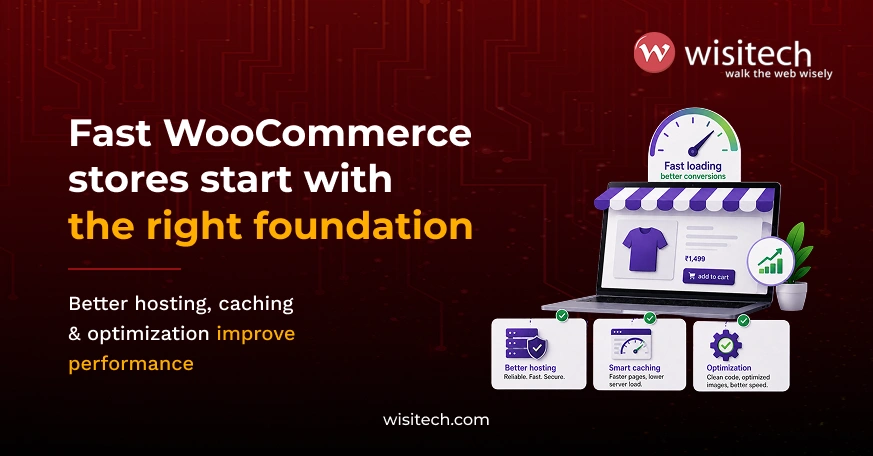
The good news? The fixes are not dramatic. With the right hosting infrastructure, proper caching, optimized images, and a clean plugin environment, speed becomes a growth enabler rather than a recurring problem.
If your store, or your client’s store, needs to feel faster, Wisitech can help identify what is actually holding it back and fix it properly. Because speed is not just technical. It is business-critical.
Wisitech offers custom WooCommerce development services built around performance, stability, and long-term growth. 27+ years. 2,500+ projects. Fortune 500 experience.
Dealing with WooCommerce slow loading? Wisitech identifies what is actually holding your store back and fixes it properly, without disrupting sales.