
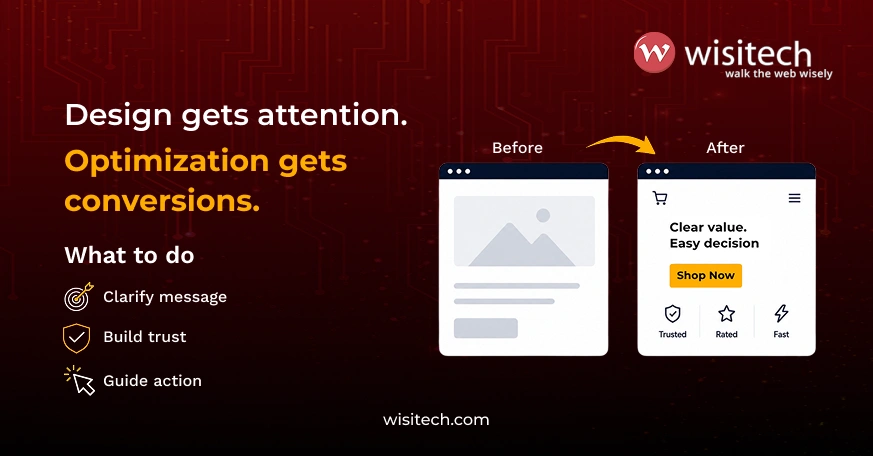
A beautiful website can win compliments. But conversions win business. In 2026, we’re seeing a consistent pattern across brands: many owners invest heavily in visuals, animations, premium themes, and sleek layouts, yet their leads don’t increase, calls don’t come in, and sales stay flat. The site looks like a 10/10 but performs like a 3/10. Website conversion rate optimization is the discipline that closes that gap, and it starts with understanding why design and conversion are not the same thing.
If you’re investing in WordPress website development for a small business, this guide explains why even visually impressive websites can struggle to convert and how to fix the problem with a smarter, structured approach.
Want more calls, inquiries, and bookings from your website?
What is website conversion rate optimization?
Website conversion rate optimization (CRO) is the systematic process of increasing the percentage of website visitors who complete a desired action, such as filling out a form, making a purchase, or booking a consultation, without increasing ad spend. For WordPress sites, CRO combines UX improvements, trust signal architecture, page speed, and content structure to turn more of your existing traffic into leads and revenue.
What is a good website conversion rate in 2026?
| Site type | Average rate | Top performers | Primary fix if below range |
| B2B services / consulting | 1.5% to 3% | 4% to 6% | Value prop clarity, trust signals |
| US ecommerce | 2.5% to 3% | 5% to 8% | Mobile UX, checkout friction |
| SaaS / software | 3% to 7% | 8% to 12% | Onboarding friction, CTA specificity |
| Local services / small business | 2% to 5% | 6% to 9% | WhatsApp CTA, trust stack |
| Professional services | 2% to 5% | 6% to 8% | Trust signals, CTA above fold |
Conversion rate benchmarks sourced from Statista (2025), Baymard Institute, and Unbounce industry reports. Actual rates vary by traffic quality, offer, and audience.
The 2026 reality: design isn’t the same as conversion
In 2026, users are more impatient, more distracted, and more trust-sensitive than ever. They don’t visit your site to admire it. They visit to answer one question: can I trust you, and is this the right choice for me, quickly?
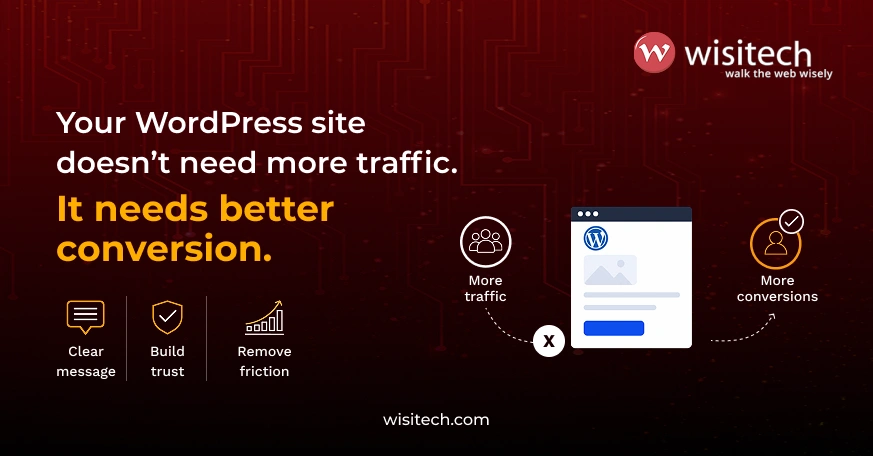
Even a modern layout won’t convert if the site doesn’t reduce confusion, build confidence, and guide action fast. That’s why website conversion rate optimization is now less about more beauty and more about clarity, trust, and friction removal. A site can be perfect from a design standpoint but still fail because the decision journey is broken.
2026 conversion stats every WordPress site owner should know
- A 1-second delay in page load time reduces conversions by up to 7% (Akamai, 2023)
- 53% of mobile users abandon a site that takes longer than 3 seconds to load (Google)
- The average US ecommerce conversion rate is 2.5 to 3% (Statista, 2025)
- Websites with clear, specific CTAs convert 202% better than those without (Unbounce)
- Mobile accounts for over 60% of US web traffic but typically converts at 30 to 50% lower rates than desktop without deliberate optimization
The biggest myth: ‘my website is done.’
In 2026, a website is not a one-time project. It’s a performance engine. Most WordPress sites fail to convert because they’re treated like brochures: launch the site, post content, run ads, and wait for leads.
Conversion-focused websites work differently. They continuously analyze user behaviour, identify barriers to conversion, and make data-driven improvements over time. Website conversion rate optimization is an ongoing process that helps businesses generate more leads and sales from their existing traffic without increasing ad spend.
Make your WordPress site a performance engine, not just a brochure.
What conversions really mean (it’s not just sales)
Let’s define conversions clearly, especially for small businesses and startups. Your WordPress site can convert in multiple ways: call clicks, WhatsApp taps, contact form submissions, booking and consultation appointments, quote requests, newsletter signups, add to cart and purchase, and demo requests for SaaS and startups.
A common mistake is optimizing only the homepage while the real conversion happens elsewhere. Through our custom WordPress development services, Wisitech often sees businesses redesign the homepage while the real friction exists in the contact journey. The homepage looks great, but the form page or contact flow silently leaks leads.
12 reasons your WordPress site looks great but doesn’t convert
1. Your message is unclear in the first 5 seconds
In 2026, users don’t read websites. They scan. If your hero section doesn’t instantly answer what you do, who it’s for, what result they get, and what they should do next, you lose them. Generic hero copy like ‘We help brands grow’ or ‘Innovative solutions for the modern world’ communicates nothing.
Wisitech uses a framework called the 5-Second Value Line: ‘We help [audience] achieve [outcome] without [pain], in [timeframe].’ Example: ‘We help local businesses get more calls and leads using high-speed WordPress sites, without expensive ads.’ Clarity is the first conversion trigger.
2. You’re getting traffic, but the wrong traffic
Sometimes the site isn’t the problem. The targeting is. In 2026, AI-generated content creates broad traffic, ads can bring clicks that aren’t ready to buy, and keywords bring visitors with the wrong intent. So you see good traffic numbers, high bounce rate, low leads.
Wisitech calls this Traffic-Offer Mismatch. A WordPress site should have intent-matched pages: one for ready-to-buy visitors, another for comparison visitors, another for research visitors. That’s why we build and optimize landing page clusters, not one page for all. This is a foundational principle of website conversion rate optimization that most site audits miss entirely.
Turn clicks into inquiries with smart page strategy.
3. Your site doesn’t build trust fast enough
In 2026, users assume ‘this could be fake. This could waste my time.’ They need proof. Trust signals that boost conversions include: customer reviews with specific detail, before and after results, case studies, media mentions, Google rating, WhatsApp number and business hours, address for local businesses, and clear refund and return policies for ecommerce.
What kills trust: stock images everywhere, generic testimonials like ‘Great service!’, no clear owner or team identity, and no real photos of work. Wisitech builds a Trust Stack in layers: Proof (results, stats, outcomes), People (who you are), Process (how it works), Protection (guarantee, policy, support). This structured approach is a core part of our conversion work.
4. You’re asking users to do too much
Most WordPress sites overload the visitor: too many menu options, too many buttons, too many sections, too many services on one page. In 2026, attention is expensive and confusion kills conversion. One page should have one primary action, not five. If it’s a service page, the answer is ‘Book a free consultation.’ Not ‘Call, email, WhatsApp, download brochure, subscribe, follow Instagram.’
5. Your CTA is weak or invisible
Many websites have ‘Contact us’ buttons that nobody clicks. In 2026, CTA copy needs to reduce effort and increase clarity. Instead of ‘Contact us’, ‘Submit’, or ‘Get started’, use ‘Get a free quote in 2 hours’, ‘Book a 15-minute call’, ‘Check pricing and packages’, or ‘See if we’re a fit’. Specific CTAs consistently outperform generic ones by a significant margin.
6. Your mobile experience is silently failing
Mobile dominates traffic but often underperforms on conversions because small problems become huge on a small screen: slow load time, sticky popups, long forms, tiny buttons, heavy sliders, and too much scrolling. A beautiful desktop design can be a mobile conversion disaster. Users don’t tolerate friction anymore. If your site takes too long to load or feels hard to use, they leave. This is why page speed is a critical part of website conversion rate optimization, improving both user experience and conversion performance, not just SEO scores.
7. Your checkout and form journey has friction
This is the biggest conversion killer Wisitech sees in 2026. Common issues include forms with too many fields, unclear pricing, hidden costs, unnecessary signups, weak error messages, and no clear next step after submission.
Wisitech’s Conversion Friction Map tracks user drop-off across scroll depth, click behavior, form abandonment, call button clicks, and WhatsApp interactions. We mark friction as confusion friction (users don’t understand), effort friction (too many steps), trust friction (not convinced), and speed friction (site feels slow). This mapping method is one of the most effective tools in systematic conversion improvement because it shows what to fix first.
8. Your site lacks decision support content
In 2026, users make decisions based on comparison, reassurance, and resolved objections. If your WordPress site doesn’t answer objections, conversions stall. Decision content users want includes pricing transparency, ‘who this is not for’ sections, FAQs, timelines, what happens after booking, refund and cancellation policy, and examples of previous work. A great design without decision support produces low conversion.
9. You’re not using an AI-friendly content structure
To optimize for AI discovery in 2026, content must be structured so AI systems like Google AI Overviews, ChatGPT, Perplexity, and Gemini can understand and cite it. Website conversion rate optimization also depends on well-structured content that uses clear H2 and H3 headings, short paragraphs, FAQ sections, step-by-step formats, and consistent topic clusters. Wisitech includes schema-friendly FAQ blocks, service schema, review schema, and structured internal linking plans as standard in advanced WordPress optimization work.
10. Your page speed is undermining your conversion rate
Page speed is not just an SEO metric. It is a conversion metric. A 1-second delay reduces conversions by up to 7%. On mobile, 53% of users abandon pages that take more than 3 seconds. Wisitech’s wordpress speed optimization services address Core Web Vitals at the technical level: LCP, INP, and CLS scores that directly affect how users experience the page before they ever read a word of copy.
The most common speed issues on WordPress sites Wisitech inherits: uncompressed images, render-blocking JavaScript, no caching layer, oversized theme files, and unused plugins adding background load. These are fixable without a redesign.
11. Your site has no live performance monitoring (H3)
Most WordPress site owners check Google Analytics occasionally. They do not have heatmaps, session recordings, or form analytics running continuously. Without Hotjar or Microsoft Clarity tracking real user behavior, website conversion rate optimization decisions are based on assumptions, not data. Wisitech sets up Clarity or Hotjar as part of every conversion audit because the scroll depth and click data almost always reveal a problem the site owner did not know existed.
12. You’re not maintaining the site after launch (H3)
Conversion performance degrades over time without active wordpress website maintenance. Plugin conflicts, outdated PHP versions, broken form submissions, and slow hosting all compound. A site that converted well at launch can quietly drop to below 1% conversion rate six months later because nobody is watching the technical health. WordPress support services that include monthly performance reviews catch these issues before they become conversion problems.
Best WordPress plugins for conversion rate optimization in 2026
| Plugin | Purpose | What it adds to conversion | Free tier |
| Microsoft Clarity | Heatmaps and session recording | Shows exactly where users click, scroll, and drop off | Fully free |
| Hotjar | Heatmaps and surveys | Visual funnel data and user feedback | Free tier available |
| WPForms / Gravity Forms | Lead capture forms | Conditional logic, form abandonment tracking | WPForms has free tier |
| Yoast SEO | On-page SEO and schema | FAQ schema, breadcrumb schema, meta optimization | Free tier available |
| WP Rocket | Caching and speed | Direct Core Web Vitals and LCP improvement | Paid only |
| Elementor / Bricks | Page builder for CRO layouts | A/B test variants, sticky CTAs, custom landing pages | Free tier available |
| TrustPulse / ProveSource | Social proof notifications | Live activity popups that build FOMO and trust | Paid, free trials |
How to track conversions on your WordPress site
Tracking conversions accurately is the foundation of any improvement program. Without measurement, you are optimizing blind.
Step 1: Set up GA4 with Google Tag Manager
Install Google Tag Manager on your WordPress site using the GTM4WP plugin. Connect GA4 through GTM. This gives you full control over what events fire without touching your theme code.
Step 2: Define your conversion events
For most WordPress small business sites: form submission, call button click, WhatsApp tap, and booking confirmation. Mark the most important one as your Primary Conversion in GA4. Everything else is a secondary event.
Step 3: Install Microsoft Clarity
Clarity is free and shows session recordings and heatmaps. It reveals scroll depth, rage clicks, and dead clicks across your pages. It integrates natively with GA4 so you can segment recordings by session behavior.
Step 4: Run a monthly conversion audit
Check your top five landing pages monthly. Look at scroll depth, exit rate, and form completion rate. Identify the page with the biggest gap between traffic and conversion and fix that first. Consistent monthly wordpress management that include this type of review are what separate sites that compound their conversion rate from sites that stay flat.
Wisitech’s 2026 WordPress conversion optimization playbook
Step 1: Fix your above-the-fold message
Make the hero section outcome-first and audience-specific. CTA visible instantly. Add one proof point (rating, client count, or result), one CTA, and one supporting line. Nothing else.
Step 2: Reduce choices
Remove extra menu items, remove duplicate CTAs, and highlight one conversion path per page. Cognitive load is the enemy of conversion.
Step 3: Build trust with proof
Add case studies (even two is enough), short video testimonials if possible, and real photos of team, office, and work. Replace stock photography.
Step 4: Upgrade CTAs and microcopy
Microcopy examples: ‘No spam. Only 1 call.’, ‘Get a reply in 60 minutes.’, ‘Only 2 slots available this week.’ This improves conversions without redesign and addresses effort and trust friction simultaneously.
Step 5: Improve speed where it matters most
Remove heavy sliders, compress images, remove unused plugins, and simplify animations. Speed is part of conversion, not just SEO. A professional WordPress speed optimization service can resolve persistent Core Web Vitals issues through server-level and plugin-level optimizations that deliver measurable conversion improvements beyond what design changes alone can achieve.
For agencies: how Wisitech supports white-label WordPress conversion optimization
If you’re an agency handling multiple client websites, conversion work becomes hard because you’re managing deliverables, clients want results fast, and every niche is different. Wisitech supports agencies with white label wordpress development and conversion optimization services covering landing page improvements, funnel fixes for lead gen and ecommerce, WordPress speed and mobile fixes, CRO content upgrades, and trust-building redesign without full redesign cost. Our wordpress consultants work quietly in the background while you remain client-facing.
Working with multiple WordPress clients? Let’s talk white-label CRO.
Website conversion rate optimization checklist (2026)
Use this quick checklist to self-audit your WordPress site. It covers the foundations of website conversion rate optimization that produce the fastest improvement with the least disruption.
Clarity
- The hero section explains what you do in one line
- Primary CTA is visible without scrolling
- Pages don’t try to sell more than one thing
Trust
- Reviews are visible before the user scrolls too far
- Contact details are easy to find
- Photos look real and relevant, not stock
Mobile
- Buttons are large and thumb-sized
- No intrusive popups on mobile
- Forms have three fields or fewer
Speed
- LCP is under 2.5 seconds on mobile (check Google PageSpeed Insights)
- No render-blocking scripts above the fold
- Images are compressed and in WebP format
Conversion
- One page equals one goal
- CTA copy is specific and benefit-driven
- FAQs answer the real objections buyers have
Conclusion: a good-looking site is not a converting site
In 2026, the best WordPress sites aren’t just stylish. They’re structured for action. A conversion-focused site reduces confusion, builds trust fast, removes friction, guides decisions, and makes the next step obvious. If your site looks great but isn’t converting, you almost certainly don’t need a redesign. You need smarter website conversion rate optimization applied to the right layers in the right order.
Want Wisitech to audit your website?
At Wisitech, we don’t just build WordPress websites. We build conversion systems. If you’re a small business, startup, or agency looking for white-label optimization, we can help you increase leads without increasing ad spend, improve mobile conversions, optimize landing pages, and reduce drop-offs in forms and funnels.
Our wordpress website maintenance programs include monthly conversion health checks, Core Web Vitals monitoring, and form audit reviews as standard. Because in 2026, the website that wins is the one that converts.