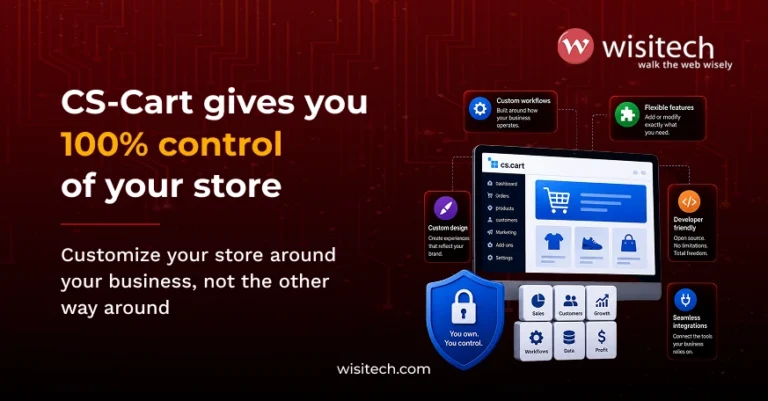

Building an online store or multi-vendor marketplace on CS-Cart is genuinely exciting. The platform is powerful, flexible, and when used right, can scale with your business for years. But like any serious ecommerce platform, the way you build and maintain it matters just as much as the platform itself.
At Wisitech, as a trusted CS-Cart development company with years of hands-on project experience, we’ve seen both sides of this coin. Stores that run beautifully because the right CS-Cart development best practices were followed from day one, and stores that turned into expensive headaches because they weren’t.
This guide is the honest, practical version. Not theory, just what actually works, what doesn’t, and why.
The latest stable release as of 2026 is CS-Cart 4.20.1, which introduced PWA support, AI search compatibility via the llms.txt file, and a collapsible admin menu for better usability. The platform continues to evolve, and your development approach needs to keep pace.
The DOs: what you should always do
1. Do use hooks and add-ons for all customisations
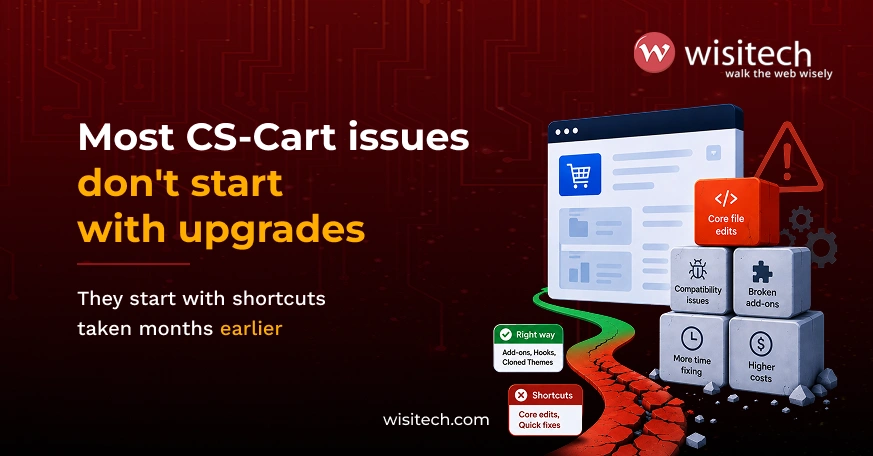
This is the most fundamental CS-Cart development best practice, and it hasn’t changed since the platform’s early days. It’s just architecturally correct.
CS-Cart provides a hook system so you can extend functionality without touching the core codebase. Instead of editing a core PHP file, you create an add-on that hooks into that file’s logic and cleanly modifies behaviour.
Why this matters:
- Your add-on lives in its own folder, making it easy to track, disable, or remove
- Core files remain intact for every future upgrade.
- Conflicts with third-party add-ons are dramatically reduced.
- You can revert changes with a few clicks instead of hunting through hundreds of files.
If you’re working with a CS-Cart development company to build custom functionality, always ask them explicitly: are these changes being made through add-ons and hooks, or directly in core files? The answer tells you a lot about the quality of work you’ll receive.
2. Do clone your theme before editing
When you want to change how your store looks, layouts, fonts, colours, or how product pages render, never edit the default or parent theme directly.
CS-Cart makes this easy. Clone your active theme, then make all edits within the cloned version. Copy over only the specific template files you need to change, and edit those.
The practical benefit: When CS-Cart releases a theme update or compatibility patch, your cloned theme remains untouched and your customisations stay intact. If you’d edited the parent theme directly, those changes would be overwritten.
This is the foundation of proper CS-Cart theme development, and it’s something every developer on your project should be doing without being asked.
3. Do test everything in a staging environment first
One of the most underestimated steps in CS-Cart development best practices is having a proper staging setup. Yet it’s the one thing that separates stores that run smoothly from stores that suffer unexpected downtime.
A staging environment is essentially a private copy of your live store where you test upgrades, new add-ons, and customisations before they go live.
Test these specifically:
- New add-on installations
- Version upgrades (especially major ones)
- CS-Cart API integration changes
- CS-Cart shipping integration updates
- Theme or layout changes
- Payment gateway configuration changes
Never push directly to production. Not even for “small” changes. The number of times a “small change” has broken a live checkout page would fill a very long document.
4. Do a backup before every upgrade
This is non-negotiable. Before upgrading to any CS-Cart version, back up both your database and your entire file system.
CS-Cart 4.20.x has a built-in Upgrade Center that handles much of the upgrade process. But upgrades can still surface compatibility issues with custom add-ons or older third-party integrations. If something breaks mid-upgrade, a clean backup is the only way to restore quickly without data loss.
What your backup should include:
- Full database export
- The /var directory (contains cache, sessions, and uploaded files)
- Your active theme and any cloned themes
- All installed add-ons, especially custom ones
If your hosting provider offers automated backups, don’t rely on those exclusively. Take a manual backup immediately before the upgrade begins.
5. Do use CS-Cart’s built-in performance tools before calling a developer
Slow store? Before you assume it’s a development problem requiring expensive intervention, check CS-Cart’s built-in tools first.
CS-Cart includes:
- Image optimisation settings in the admin panel
- Cache management tools under Administration
- Block manager to audit which blocks are loading on which pages
- Lazy loading configuration for product images
A significant number of performance complaints we see at Wisitech turn out to be caused by caching issues or improperly configured image sizes. These take minutes to fix in the admin panel, not hours of developer time.
If the built-in tools don’t resolve it, then yes, bring in your CS-Cart development services team. But rule out the simple stuff first.
6. Do ask the right questions before commissioning custom add-on development
Custom add-on development is often necessary, but it’s also often overcommissioned. Before you invest in custom development, these are the questions worth asking:
Technical questions:
- Does this functionality already exist in the official CS-Cart marketplace?
- Can an existing verified add-on be configured to do what we need?
- Will this custom add-on be built using CS-Cart’s hook system (not core file edits)?
- How will this add-on behave during future CS-Cart version upgrades?
- Will the code be documented and handed over with the project?
Business questions:
- Is this functionality genuinely a differentiator, or just a nice-to-have?
- What’s the maintenance plan once the add-on is live?
- Who will be responsible for updates when CS-Cart releases a new version?
When you hire CS-Cart developers, these questions help you distinguish between a developer who understands CS-Cart’s architecture and one who will create technical debt for you down the line.
Don’t let a bad CS-Cart setup cost you later Wisitech audits your store, fixes the gaps, and builds a clean foundation for long-term growth.
The DON’Ts: what you should never do
1. Don’t modify CS-Cart’s core files, ever
This is the cardinal rule of working with CS-Cart. The platform’s core files are updated with every version release. If you’ve manually edited them, here’s what happens at upgrade time:
- Your changes get overwritten, and you lose them entirely.
- Or a conflict is introduced that causes a bug, you’ll spend days tracking down.
- Or a third-party add-on that’s fully compatible with the standard core suddenly starts breaking, because your core no longer matches what it expects.
CS-Cart’s architecture doesn’t require editing the core files. Every legitimate customisation can be achieved through the hook-and-add-on system. If someone has told you “we just need to change one line in this core file”, that’s a warning sign worth taking seriously.
2. Don’t hard-code payment gateway credentials in template files
This one sounds unlikely until you realise how often it happens, especially on projects where multiple developers have touched the codebase.
Payment gateway API keys, secret tokens, and merchant IDs should never appear in template files, theme files, or anywhere in the frontend layer. They should be stored securely in the CS-Cart admin configuration or in server environment variables.
Why it’s a serious risk:
- Template files are often shared between developers, pushed to repositories, or visible in version control history.
- An exposed API key can be used to process fraudulent transactions or access your payment dashboard.
- Several payment processors will immediately terminate your merchant account if they detect exposed credentials.
If you’re migrating from an older setup or another platform, audit your template files for any hardcoded credentials as part of the migration checklist. This comes up more often than it should.
3. Don’t install add-ons from unverified marketplace sellers
The CS-Cart marketplace has hundreds of add-ons, and the vast majority are legitimate. But the same rule that applies to any software ecosystem applies here: not all sellers are equal.
An add-on from an unverified or inactive seller carries real risk:
- Code quality may be poor, causing conflicts or performance issues.
- The add-on may not be maintained for newer CS-Cart versions.
- In worst cases, malicious code can be injected into your store environment.
Before installing any third-party add-on:
- Check the seller’s review history and how recently they’ve updated the add-on.
- Verify it’s compatible with your current CS-Cart version (4.20.x as of 2026)
- Check when it was last updated. An add-on last touched in 2022 is a risk on a 2026 store.
- Look for add-ons from established CS-Cart partners or developers with verifiable track records.
Your multi-vendor marketplace development stack is only as strong as its weakest component. One poorly-coded add-on can affect your entire store’s stability.
4. Don’t skip CS-Cart version upgrades
Running an outdated version of CS-Cart isn’t just a “we’ll get to it someday” decision. It’s a security risk that grows with every skipped release.
CS-Cart versions include security patches alongside feature updates. Upgrades include security updates, and it’s one of the best ways to avoid hacking and digital attacks on your online store. Each version that passes without an upgrade is another layer of potential vulnerability left unaddressed.
As of 2026, CS-Cart 4.20.1 was released on February 24, 2026, with CS-Cart 4.19.1 prior to that. If you’re still on 4.17 or earlier, you’re multiple security cycles behind.
The common reason businesses delay upgrades is the fear of breaking existing customisations. This is a legitimate concern, but it’s the reason to plan upgrades carefully, not to avoid them. A good CS-Cart development company will handle upgrade compatibility as a standard part of their services.
5. Don’t skip CS-Cart API integration planning
If your store connects to external systems like ERPs, CRMs, inventory tools, or fulfilment platforms, CS-Cart API integration needs to be designed thoughtfully, not bolted on.
The mistakes we see most often:
- API calls being made directly from template files (wrong layer)
- No error handling, so a failed API call silently breaks the checkout
- Credentials stored insecurely (see the payment gateway point above)
- No version control on the integration code, making updates a guessing game
CS-Cart has a well-documented REST API. Use it properly, through dedicated add-ons or integration layers, not through hacks that will break with the next update.
The same applies to CS-Cart shipping integration, whether you’re connecting to FedEx, DHL, Shiprocket, or a custom logistics provider. Build the integration cleanly, test it in staging, and document what each endpoint does.
CS-Cart customisation: the right approach in 2026
CS-Cart customisation is where the platform truly shines, but only when approached the right way.
The CS-Cart ecosystem in 2026 has matured significantly. With 4.20.1 introducing PWA support, your customisation choices now extend to the mobile experience as well. PWA storefronts need the same clean development discipline as the main store: no core edits, proper theme cloning, and staging before production.
In CS-Cart Multi-Vendor setups specifically, customisation complexity increases because changes to vendor dashboards, commission structures, or shipping rules can interact in non-obvious ways. Always test multi-vendor customisations with at least two vendor accounts active on your staging environment before going live.
CS-Cart migration: what to get right from the start
If you’re moving an existing store onto CS-Cart from WooCommerce, Magento, Shopify, or a custom platform, CS-Cart migration brings its own set of DOs and DON’Ts.
Do:
- Map your data structure before migration begins (products, categories, orders, customers)
- Use CS-Cart’s Store Import tool for supported platforms.
- Migrate to staging first, test thoroughly, then move to production.
- Audit URL structures and set up 301 redirects to protect SEO equity.
Don’t:
- Assume all product data will map cleanly without manual cleanup.
- Migrate add-ons that served a function in your old platform without checking if CS-Cart handles that natively.
- Rush the go-live date. Rushed migration projects almost always result in post-launch issues.
What to look for when you hire CS-Cart developers
Not every developer who claims CS-Cart experience has the depth you need for a serious project. Here’s what to look for.
Technical signals:
- They talk about hooks and add-ons first, not core file edits.
- They can clearly explain their staging and testing process.
- They’ve worked on projects similar to yours in complexity.
- They understand the difference between CS-Cart and CS-Cart Multi-Vendor.
Process signals:
- They ask about your upgrade history before starting.
- They scope out what existing add-ons are installed and how they interact.
- They provide documentation alongside deliverables.
At Wisitech, our CS-Cart development services cover everything from new marketplace builds and CS-Cart theme development to migrations, integrations, and ongoing maintenance. We’ve been delivering digital projects for 27+ years, and the way we approach CS-Cart is the same way we approach every platform: clean architecture, proper testing, and builds that hold up long-term.
Ready to build your CS-Cart store the right way? Wisitech handles everything from custom add-on development to migrations, so you don’t have to figure it out alone.
Wrapping up
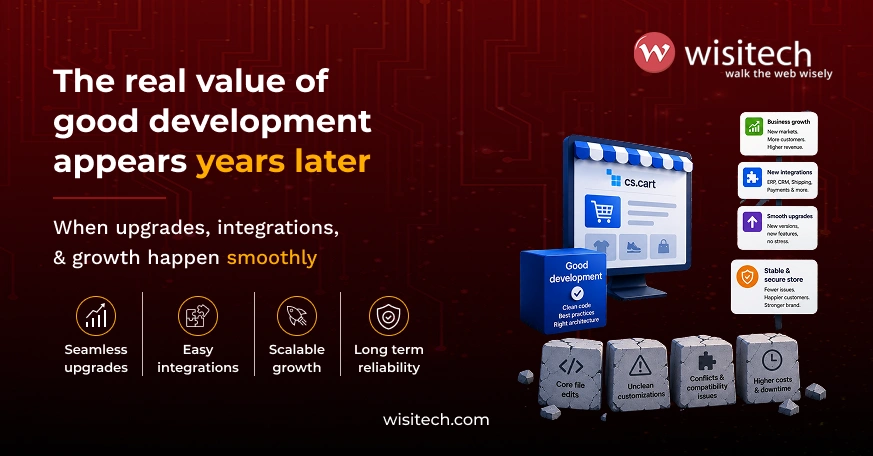
CS-Cart is a serious platform with the depth to power genuinely complex marketplaces, but only when it’s built and maintained with the right approach.
The CS-Cart development best practices in this guide aren’t optional extras. They’re the difference between a store that scales cleanly and one that accumulates technical debt with every new feature or upgrade.
To summarise the core principles:
- Always customise through hooks and add-ons, never core files
- Clone your theme before making any design changes.
- Test in staging before pushing anything live
- Back up before every upgrade
- Keep your CS-Cart version current.
- Vet your add-on sources
- Secure your credentials
- Plan your integrations properly.
If you’re building a new store, migrating an existing one to CS-Cart, or inheriting a setup that needs a proper audit, the Wisitech team is here to help.