

WordPress powers over 43% of all websites on the internet as of 2024, making it the most widely used CMS globally and, by extension, one of the most frequently targeted platforms for cyberattacks. Whether you run a business website, an ecommerce store, or a content platform, securing your WordPress installation is not optional. Choosing the right plugin from among the best WordPress security plugins available today is one of the most consequential decisions you will make for your site’s long-term health.
With WordPress 6.4 and beyond continuing to expand core functionality, the plugin ecosystem has matured significantly. Some key factors to evaluate when selecting a security plugin are:
- A clear list of your requirements so that your search is targeted
- Recommendations from trusted sources
- Ratings of plugins
- User reviews
- The count of active installations
- Compatibility with your current WordPress version and theme
- Regular activity in the support forum
Whether you are managing your own site or working with a team providing WordPress website development and maintenance, having the right security infrastructure in place protects your investment, your users, and your search rankings.
What are the best WordPress security plugins?
We have done the research for you and condensed it into the following list of the top 10 best WordPress security plugins in 2024.
1. MalCare
Trusted by more than 300,000 websites globally, MalCare offers comprehensive protection from a wide range of malware infections and security threats.
Features:
- Advanced Deep Scan technology for detecting hidden malware that most scanners miss
- One-click malware removal with surgical precision, without breaking your site
- Login Page Protection including CAPTCHA and two-factor authentication to block unauthorized access attempts
- A comprehensive Web Application Firewall to filter malicious IP requests before they reach your server
- WordPress Hardening measures including blocking PHP file execution, disabling the File Editor, and changing security keys
- Backup facility using the BlogVault tool for periodic backups and quick restoration
- White labeling functionality for agencies managing multiple client sites
2. Sucuri Security
Sucuri remains one of the most trusted names in WordPress security in 2024. This cloud-based plugin works across multiple CMS platforms including Drupal and Joomla, and shields your site from brute force attacks, malware, DDoS attempts, and more.
Features:
- Malware scanning and detection covering phishing pages, DDoS attacks, backdoors, Google blacklisting, DNS changes, and spam attacks
- Website hack protection including an Intrusion Prevention System and a cloud-based firewall
- A CDN that uses a global server network to distribute content based on the user’s geographic location, improving speed and performance
- Unlimited malware removal support with direct access to the Sucuri security team
- Regular backups with timely prompts for updating themes, plugins, and passwords
- Daily or monthly website data backup stored on Sucuri’s cloud platform
3. Wordfence Security
Wordfence is one of the most widely installed security plugins in the WordPress ecosystem, with over 5 million active installations as of 2024. Its endpoint firewall and malware scanner are among the most comprehensive available.
Features:
- Endpoint Firewall Protection that blocks dubious IP addresses and maintains an updated list of IPs known for launching attacks globally
- Country blocking functionality to restrict traffic from specific geographic regions
- Malware scanning across WordPress core files, SEO spam, security vulnerabilities, and backdoors
- Malware removal that replaces infected files with clean originals
- Real-time threat intelligence feed updated as new attacks emerge
4. iThemes Security
Now rebranded as Solid Security in 2024, this widely used plugin shields your site from a broad range of security vulnerabilities. Note that it does not include a built-in malware scanning tool; pairing it with Sucuri fills that gap effectively.
Features:
- Detection of automated bots on the login page with limits on failed login attempts to prevent brute force attacks
- File change monitoring to detect security threats introduced by unauthorized modifications
- Two-factor authentication to ensure only authorized users can access the WordPress dashboard
- A security dashboard displaying all logs and activity data in one place
- User Security Check functionality for managing user roles and enforcing timely password changes
- WordPress version management to update all installed themes, plugins, and core from one location
5. Security Ninja
Security Ninja has been in the market since 2011, making it one of the longest-standing security plugins available. The free version offers more than 50 security tests covering PHP settings, MySQL permissions, and file integrity.
Features:
- An auto-fixer module that resolves detected issues automatically, making it accessible for non-technical users
- WordPress core scanning to compare your files against the latest secure version from wordpress.org
- Scanning of themes and plugins for malware and suspicious code
- A maintained list of known malicious IPs with automatic blocking
- A comprehensive event log tracking all activity on the site, from settings changes to user logins
- Scheduled scanning functionality
6. SecuPress
SecuPress was developed by Julio Potier, co-founder of WP Media. It has grown steadily since its 2016 release and remains a strong choice for users who prioritize a clean, beginner-friendly interface without sacrificing meaningful security coverage.
Features:
- One of the most intuitive UIs among security plugins, well suited for non-technical users
- The premium version assesses 35 security points in under 5 minutes, generates a report, and applies hardening measures
- Login URL modification to hide your login page from bots
- Detection of themes and plugins that have been modified with malicious code or carry known vulnerabilities
7. Google Authenticator
Many full-featured security suites still do not include two-factor authentication as a standalone, configurable option. The Google Authenticator plugin addresses this directly by adding a second layer of security to your login process, which is where the majority of hacking attempts begin.
Features:
- Multiple 2FA method options including security questions, QR codes, and push notifications
- Free to use with a straightforward interface
- Ability to specify which user roles require authentication, allowing admins to set tiered access controls
- Shortcode support for custom login pages
8. All-In-One WP Security and Firewall
This remains one of the most feature-rich free WordPress security plugins available in 2024, with no premium upsells required to access core functionality.
Features:
- Visual security meters and graphs that make it easy for beginners to understand their site’s security status at a glance
- A blacklist tool to block specific users or IP addresses
- Backup functionality for .wp-config and .htaccess files with a restore option
- User account protection, registration security, and brute force login prevention
9. Bulletproof Security
Bulletproof Security offers both free and premium versions. The paid option is available at a one-time price of $69.95 and delivers more features than most subscription-based security plugins at a lower long-term cost.
Features:
- The free version includes database backups and restoration, login security and monitoring, MScan Malware Scanner, security log, anti-hacking and anti-spam tools, maintenance mode, a full setup wizard, and hidden plugin folders
- Well suited for advanced developers who want access to unique features like the online Base64 detector and anti-exploit guard
- A setup wizard with auto-fix functionality for beginners
- The paid version adds email alerting, auto-restore, quarantine features, and a 30-day refund guarantee
10. Defender
Defender, developed by WPMU DEV, offers a strong combination of free and paid security features built around hardening techniques that take effect immediately upon activation.
Features:
- Google two-step verification
- Login Screen Masking to hide your login URL from automated bots
- WordPress core file scanning and repair
- Unlimited file scans on the free plan
- IP lockout notifications and detailed security reports
- The pro version adds cloud backups with 10 GB of remote storage, automated security scans, and audit logs
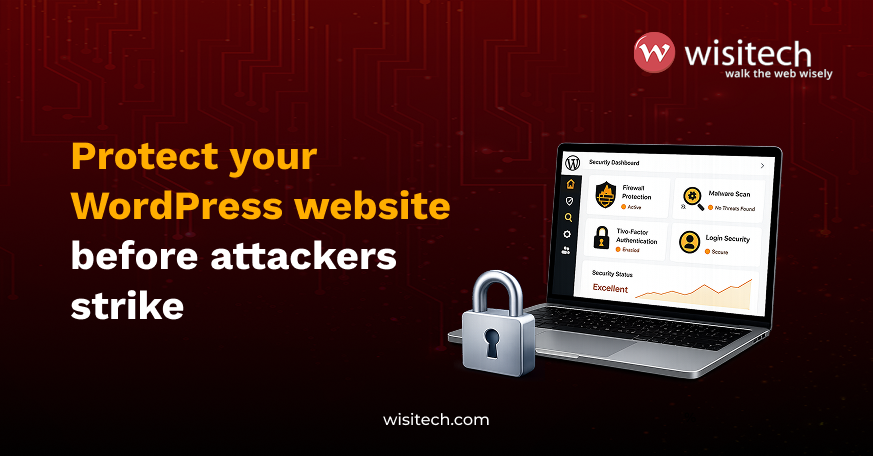
two-factor authentication, login security, and automated security monitoring. (AI Representation)
Final verdict: Which are the best WordPress security plugins?
The All-In-One WP Security and Firewall remains our top recommendation among the best WordPress security plugins for most users in 2024. Its features are organized into Basic, Intermediate, and Advanced categories, making it equally useful for beginners and experienced developers. It offers more functionality than most plugins in the market, is completely free with no upsells, and provides visual security graphs that give users an immediate, easy-to-understand overview of their site’s security status.
That said, the right plugin for your site depends on your specific requirements. High-traffic ecommerce stores and business-critical websites often benefit from layering two or more plugins, for example pairing All-In-One WP Security for firewall and login protection with MalCare or Sucuri for active malware scanning and removal.
If you are building or maintaining a WordPress site and want security configured correctly from the ground up, Wisitech’s custom WordPress development services include security hardening as a standard part of every build. Tell us your current setup and your biggest security concern, and we will tell you exactly how to address it.